

A sales manager pulls up a contact record mid-call, promises a discount on the next invoice, then spends twenty minutes toggling between QuickBooks and a spreadsheet to confirm the customer's last three payments actually cleared. That delay isn't a minor annoyance. For teams processing over a hundred invoices a month, it compounds into hours of lost selling time every week.
The root cause is straightforward: CRM platforms and accounting tools don't share data by default. Customer records sit in one system, financial transactions in another, and the only bridge between them is someone copying numbers by hand. That manual reconciliation introduces typos, stale payment data, and mismatched contact details that snowball into billing disputes and forecasting errors.
Connecting a CRM directly to QuickBooks changes what sales teams can actually see and do:
- Payment status in real time. Reps know whether an invoice is paid, overdue, or partially settled before they pick up the phone.
- Outstanding balances on contact records. No more asking finance for a PDF. The number lives right next to the deal history.
- Customer lifetime value calculated automatically. Transaction data flows into the CRM, so revenue per account updates without a single spreadsheet formula.
- Fewer data entry errors. One record syncs across both systems, eliminating the duplicate-entry mistakes that cause invoice mismatches.
Research from BigContacts shows that businesses running a CRM-QuickBooks integration report roughly a 30% productivity increase and a 25% reduction in administrative costs through automated syncing and workflow triggers. Those aren't abstract gains. They translate directly into shorter sales cycles and fewer hours spent chasing payment confirmations.
Reconciliation that feels manageable at fifty invoices a month becomes a bottleneck at two hundred. The integration question isn't really about convenience. It's about whether your sales and finance teams can operate from the same set of facts without waiting on each other.
What Is the Difference Between QuickBooks Online and QuickBooks Desktop Integration?
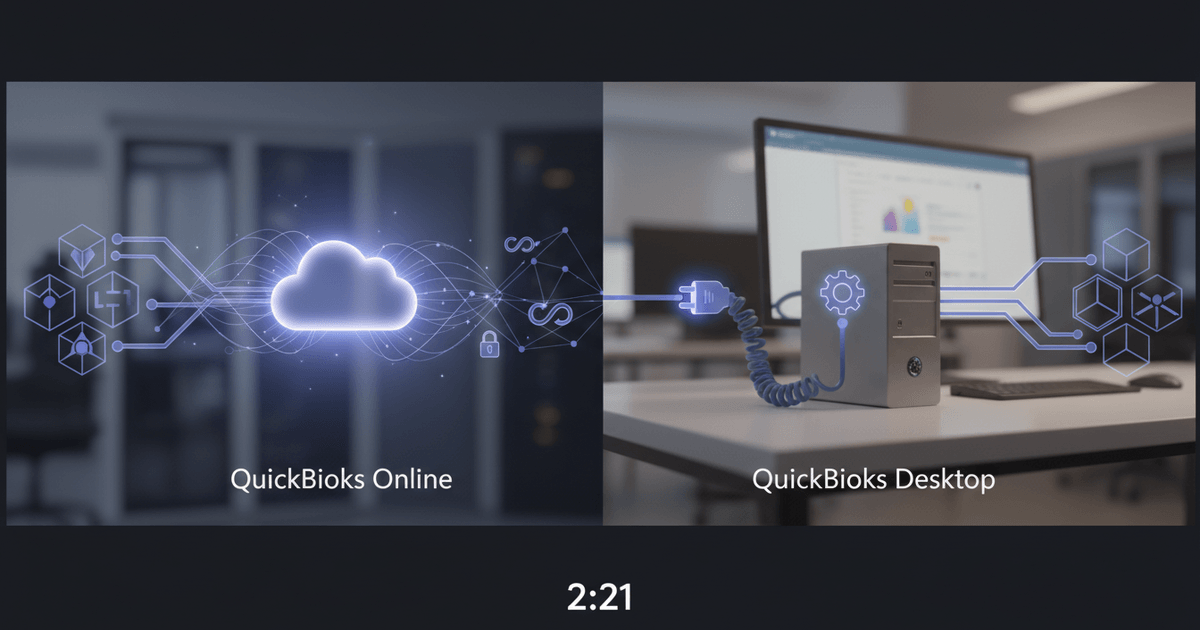
QuickBooks Online connects with CRMs via a cloud-based REST API using OAuth 2.0, whereas QuickBooks Desktop relies on an SDK or Web Connector that necessitates a local Windows system.
This differentiation influences everything from how your team coordinates data to the extent of maintenance you’ll experience over time.The API of QuickBooks Online is comprehensively documented, gets automatic updates from Intuit, and integrates seamlessly with CRMs such as Salesforce, HubSpot, Zoho, and Pipedrive.Pipedrive's integration with QBO, for instance, synchronizes contacts, invoices, and sales information while automatically updating payment statuses, enabling reps to view real-time financial context without needing to switch tabs.
QuickBooks Desktop is a different beast entirely. Its Web Connector runs as a Windows service that polls for sync requests on a schedule — so data moves in batches, not in real time. Connectors frequently break after QuickBooks version upgrades because third-party developers need time to catch up with SDK changes. Think about what that means in practice. A construction firm running Desktop Enterprise 2023 could find its CRM connector completely incompatible for weeks after jumping to the 2024 release. That's not a minor inconvenience — it's a real operational headache.
The usual recommendation is "continue using Desktop if it's functioning well," but that reasoning overlooks the increasing integration cost.Each version update carries the risk of a faulty connector.All remote workers require VPN access or a hosted Desktop instance merely to initiate a sync.For medium-sized teams growing beyond 10 to 15 users, those friction expenses silently surpass any switching costs associated with a QBO migration.
| Feature | QuickBooks Online | QuickBooks Desktop |
|---|---|---|
| API Type | REST API (JSON-based) | QuickBooks SDK / Web Connector (XML-based) |
| Authentication | OAuth 2.0 with token refresh | Local session credentials tied to Windows user |
| Sync Method | Real-time or near-real-time via webhooks | Scheduled batch sync via polling intervals |
| Cloud/Remote Access | Full cloud access from any device | Requires running Windows instance (local or hosted) |
| CRM Compatibility | Supported by most major CRMs natively | Limited connector options; fewer maintained integrations |
| Maintenance Overhead | Automatic API updates from Intuit | Manual connector updates needed after version upgrades |
QuickBooks Online vs QuickBooks Desktop: A Comparison of Integration Features
If your team operates remotely or intends to in the upcoming year, consider QBO integration as the standard approach.Desktop integration is feasible only when regulatory or infrastructure demands require on-premise software, and even then, allocate budget engineering hours for continual connector maintenance following each QuickBooks release cycle.
The real decision factor often isn't the feature comparison at all. It's headcount. Teams under five people with a single office location can absorb Desktop's sync quirks manually. Cross that threshold, and batch-sync delays plus Windows dependency start creating data gaps that sales and finance teams notice in conflicting reports.
How Do You Connect a CRM to QuickBooks? Native Sync vs Middleware vs Custom API
Three methods link CRMs to QuickBooks: native connectors for easy configuration, middleware for no-code adaptability, and custom API creations for complete data management.
Native connectors are included with CRMs such as Method CRM, Zoho CRM, and Insightly.You verify, link several fields, and contacts, invoices, and payment statuses begin moving between systems in a matter of minutes.The compromise is inflexibility.Native sync usually includes standard objects (contacts, invoices, payments) but does not support custom fields, conditional logic, or multi-entity billing without additional solutions.For a team of ten people with simple billing, that's completely acceptable.
Middleware solutions such as Zapier and Make act as intermediaries between your CRM and QuickBooks, converting triggers ("new contact created" or "invoice marked as paid") into corresponding actions on the opposite end.No programming needed.In an afternoon, you can establish a five-step process that generates a QuickBooks invoice when a deal is finalized in your CRM and subsequently updates the deal record after receiving payment.
Most guides default to recommending native connectors and dismiss custom API integration as overkill. At scale, that math flips. Zapier's per-task pricing means a team running 2,000+ monthly syncs can easily spend $150 to $300 per month on middleware alone — and that number keeps climbing as transaction volume grows. A mid-sized digital agency in the Coefficient ecosystem documented this pattern after hitting Zapier's task limits hard. They moved to a custom API integration, cut sync errors by roughly 60%, and saved around $200 per month in middleware fees.
Custom API integration connects directly to QuickBooks' REST API, giving you granular control over data mapping, sync frequency, error handling, and business logic. Need to split a single CRM deal into three QuickBooks invoices across different entities? That's a straightforward custom build. Real-time sync instead of polling every fifteen minutes? Also doable. Teams evaluating whether to build a flexible custom CRM often find that baking QuickBooks connectivity into the architecture from day one cuts out the middleware layer entirely.
The approach that suits your situation relies on two factors: monthly synchronization volume and workflow complexity.
- Native connectors work best when you sync fewer than 500 records per month, need only standard field mapping, and want zero maintenance overhead
- Middleware (Zapier, Make) fits teams that need conditional logic or multi-step workflows but process under 2,000 tasks monthly, keeping per-task costs manageable
- Custom API integration pays for itself when monthly syncs exceed 2,000, when you need multi-entity invoicing or custom field mapping, or when sync errors carry real financial consequences
The breakeven point for middleware versus custom API generally lies between 1,500 and 2,500 monthly syncs, beyond which middleware is quicker to implement and less expensive to manage.Above this, per-task pricing accumulates rapidly enough that a one-time custom build pays for itself within six to nine months.
A factor many teams ignore is that middleware platforms sometimes alter their connector APIs or pricing tiers with minimal warning, potentially disrupting ongoing workflows during the quarter.A tailored integration protects you from the decisions of external platforms since you possess the code.
What Data Flows Between a CRM and QuickBooks, and How Do You Keep It Secure?
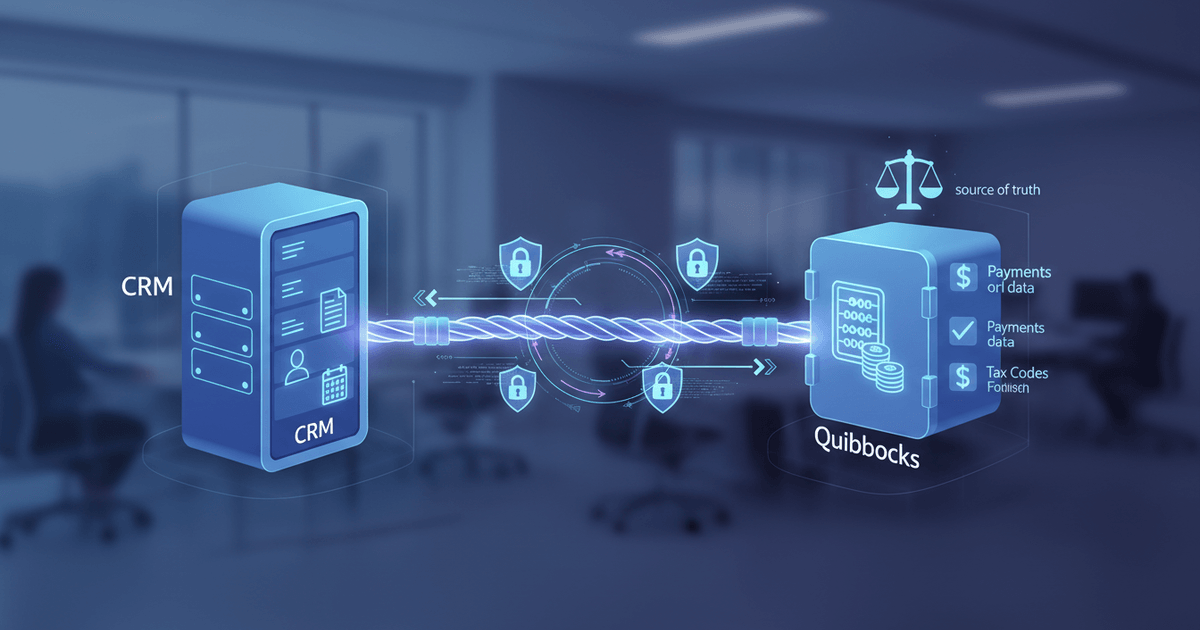
Six essential data entities synchronize between CRM and accounting systems: contacts, invoices, estimates, payments, products, and tax codes, all necessitating established ownership criteria.
Sync direction specifies if data moves in a single direction or in both directions.Lead-to-invoice processes usually move from CRM to QuickBooks: a salesperson secures a deal, the system creates an invoice, and accounting processes it without any manual input.Payment status updates require a reverse flow from QuickBooks to the CRM, enabling sales teams to identify clients with outstanding balances before making calls. Most teams gain from two-way synchronization for contacts and payments, while one-way synchronization for estimates and invoices helps avoid unintentional overwrites.
Conflict resolution is the point where many integrations subtly fail.Simultaneous editing of a customer record by two systems leads to a race condition, where the latest write prevails unless explicit rules are established. The conventional approach is that QuickBooks manages financial data (invoices, payments, tax codes), whereas the CRM oversees contact information, deal stages, and communication history.In cases of conflict on a common field such as billing address, the system with the latest human modification should be prioritized.Lacking these guidelines, you'll be pursuing illusory inconsistencies when reconciling at month-end.
OAuth 2.0 token management controls how your CRM authenticates with QuickBooks APIs — but tokens expire, and when refreshes fail silently, your data flow just stops. Nobody notices until something breaks. TLS 1.2 or higher encrypts data in transit, keeping invoice amounts and customer details safe from interception. Field-level access controls matter too: sales reps need to see payment status (paid, overdue, partial) without getting anywhere near full general ledger details or bank account numbers. That's a meaningful distinction. Organizations handling financial services CRM data run into even stricter requirements, particularly around data segregation between client-facing staff and accounting teams.
Adherence extends past just encryption.Any SaaS middleware positioned between your CRM and QuickBooks must possess SOC 2 Type II certification, confirming that the vendor's security measures have undergone ongoing testing, rather than merely being recorded.Audit logging for each sync event is mandatory; it serves as your response during tax audits or financial reviews regarding when a particular invoice was generated, altered, or canceled.Data retention policies must comply with your jurisdiction's accounting rules, which in the U.S. usually entails keeping transaction records for seven years.
The security risk most teams overlook isn't the sync itself. It's the test environment. Teams often connect production QuickBooks data to a CRM sandbox during setup, exposing real financial records in an environment with relaxed access controls. Segregate test and production credentials from day one, and rotate OAuth tokens after any integration testing cycle completes.
Common advice says to sync everything bidirectionally for maximum visibility. In practice, bidirectional sync on invoices and payments creates more reconciliation headaches than it solves. Keep financial document creation unidirectional (CRM to QuickBooks) and sync only status updates back, and your accountant will thank you at quarter close.
Frequently Asked Questions About CRM-QuickBooks Integration
Can a CRM automatically update when QuickBooks invoices are paid?
Positive. Two-way synchronization arrangements send payment status changes from QuickBooks to your CRM immediately after a transaction is finished. Native connectors handle this through webhooks, while middleware options like Zapier rely on polling periods or trigger events to detect the change and update the pertinent CRM entry.
Which CRM works best with QuickBooks Online?
It relies on the extent of customization needed. Established CRM providers deliver pre-built connectors that adeptly handle standard invoicing and contact syncing. For teams needing conditional workflows, multi-entity billing, or sophisticated custom field mapping beyond standard connectors, a customized CRM with direct API access to QuickBooks offers total control over every data object.
Is there a CRM that integrates with QuickBooks Desktop?
Certainly, while the pool is indeed more compact. Desktop integrations rely on either the Web Connector or the QuickBooks SDK, both requiring a Windows machine to work alongside the accounting program. This incurs infrastructure costs, making it essential for Desktop teams to factor in server maintenance expenses before approving a connector.
How often does data sync between a CRM and QuickBooks?
Synchronization frequencies range from immediate updates to scheduled batch processes, with built-in connectors typically refreshing every 5 to 15 minutes. Middleware operates in reaction to triggering events or at predetermined intervals that you establish. Custom API integrations can be set up to utilize real-time webhooks, delivering updates in under a second when required.
What are common errors when integrating a CRM with QuickBooks?
Duplicate contact entries are the main problem, frequently arising from varying name formats or missing unique identifiers across systems. Expired OAuth tokens silently halt synchronization unexpectedly, making automated token renewal crucial. Currency format problems and variations in tax codes are also common contributors. Creating a single source of truth for every data entity and integrating error logging into your connection helps prevent most problems from worsening.
Ready to Build a CRM That Syncs With QuickBooks?
Off-the-shelf connectors force your workflow into someone else's data model, and the gaps show up at month-end. A custom-built CRM lets you define exactly which fields sync, how conflicts resolve, and who controls access. Explore Ghospy's custom CRM development with native QuickBooks sync built in.